
Description
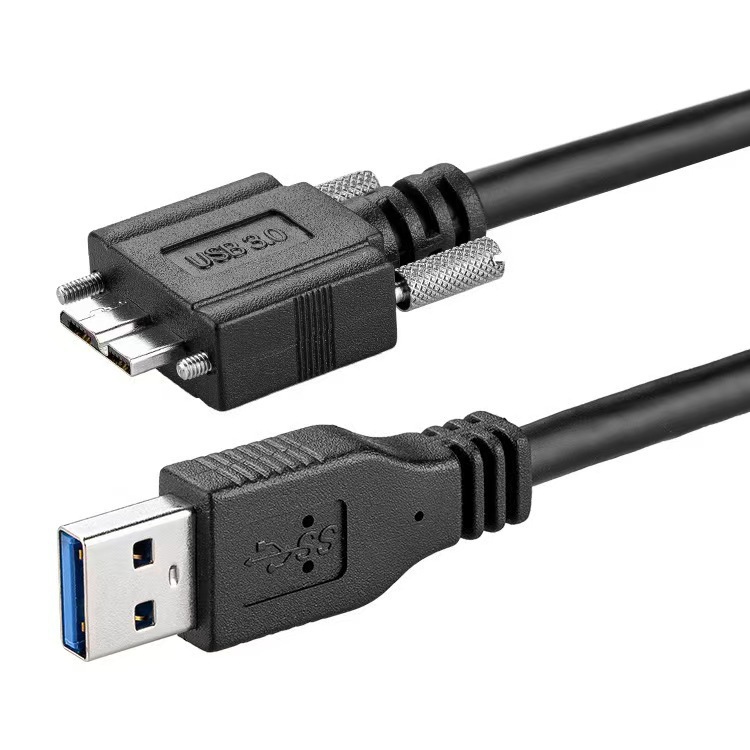
Connect your portable storage devices to a computer with this USB 3.0 Micro-B to USB-A Data Cable. Designed for compatible portable SSDs and external hard drives, it provides a reliable connection for transferring, accessing and backing up your files.
The USB 3.0 Micro-B connector connects to compatible external drives, while the USB-A connector plugs into computers, laptops and other devices with a standard USB-A port.
Key Features:
- USB 3.0 Micro-B to USB-A connection
- Supports high-speed USB 3.0 data transfer
- Suitable for compatible portable SSDs and external hard drives
- Ideal for file transfers and backups
- Compatible with computers and laptops featuring USB-A ports
- Plug-and-play on compatible devices
- Suitable for photos, videos, documents and other files
Important: Check your device’s port before purchasing to ensure it uses a USB 3.0 Micro-B connector.
FAQ
1. What is this cable used for?
It connects compatible portable SSDs and external hard drives to computers and other devices with a USB-A port.
2. What connectors does the cable have?
It has a USB 3.0 Micro-B connector on one end and a USB-A connector on the other.
3. Does it support USB 3.0?
Yes. It is designed for USB 3.0 high-speed data transfer with compatible devices.
4. Can I use it with portable SSDs?
Yes, provided the SSD has a USB 3.0 Micro-B port.
5. Can I use it with external hard drives?
Yes. It is suitable for compatible external hard drives that use a USB 3.0 Micro-B connection.
6. Can I use it for file backups?
Yes. It can be used to transfer and back up photos, videos, documents, music and other files.
7. Does it work with laptops?
Yes, if the laptop has a compatible USB-A port.
8. Is it plug and play?
Yes. Compatible computers and devices normally recognize the connected drive automatically without additional drivers.
9. Is USB 3.0 Micro-B the same as Micro-USB?
No. USB 3.0 Micro-B is a wider connector designed for USB 3.0 devices and is commonly found on external storage devices.
10. Will it work with every external drive?
No. The drive must have a compatible USB 3.0 Micro-B port. Check your device’s connector before purchasing.
Reviews
There are no reviews yet.